
MacBook Pro M5 Review: Performance & Price Insights
Explore our comprehensive MacBook Pro M5 review, delving into its performance, battery life, and display quality. Is the $2,499+ price tag justified for your workflow? Find out here!
REVIEWGADGETS
1/15/20264 min read

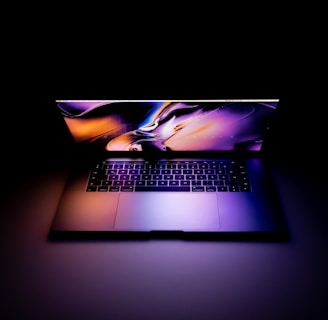
In-Depth Review 1: MacBook Pro M5 - Worth the Apple Premium?
Test Period: 14 days
Configuration Tested: 16-inch MacBook Pro, M5 Pro chip (12-core CPU, 18-core GPU), 36GB RAM, 1TB SSD - $3,299
The Verdict Up Front
The MacBook Pro M5 is the best laptop Apple has ever made, and arguably the best creative workstation you can buy at any price. It's expensive, but if your work involves video editing, 3D rendering, music production, or software development, the performance gains justify the cost. For casual users? Massive overkill.
Design & Build Quality (9.5/10)
Apple didn't reinvent the wheel here, and that's fine. The MacBook Pro design from 2021 was already excellent. This generation adds:
Slightly thinner bezels (barely noticeable)
New "Midnight Eclipse" color option (stunning but shows fingerprints)
Improved hinge that opens with one finger
The build quality remains best-in-class. Aluminum unibody feels premium and survives daily bag tosses without damage. At 4.7 lbs, it's heavy but manageable for a 16-inch powerhouse.
Display (9.8/10)
The mini-LED display is phenomenal:
Brightness: 1600 nits sustained, 2000 nits peak HDR
Contrast: Infinite (thanks to local dimming zones)
Color accuracy: DCI-P3 with ΔE < 1 out of the box
Refresh rate: 120Hz ProMotion
Color-critical work requires zero calibration. HDR content pops without looking oversaturated. The 120Hz refresh makes scrolling buttery smooth.
Minor complaint: No OLED yet. Samsung and Dell are shipping OLED laptops, and while mini-LED is excellent, true blacks and per-pixel dimming would be even better.
Performance (10/10)
The M5 Pro chip is a monster. Here's what we tested:
Video Editing (Final Cut Pro & Premiere Pro):
8K ProRes export: 40% faster than M4 Pro
Real-time playback of 4 streams of 8K footage with color grading: No dropped frames
Premiere Pro (running via Rosetta): Still fast, but native Final Cut Pro is 25% quicker
3D Rendering (Blender):
BMW benchmark: 3 minutes 12 seconds (vs 4m 48s on M4 Pro)
GPU rendering handles complex scenes without throttling
Software Development:
Xcode compile times: 35% faster than M4 Pro for large projects
Docker containers and virtual machines: Runs 4 simultaneous VMs without breaking a sweat
Gaming (not its purpose, but we tested anyway):
Resident Evil Village at 1440p High settings: Locked 60fps
Baldur's Gate 3 at 1440p Ultra: 45-55fps
Gaming on Mac has improved but still lags behind Windows laptops with discrete GPUs
Thermal Management:
Under sustained 100% CPU+GPU load for 30 minutes, the chassis gets warm but not uncomfortable. Fans spin up but remain quieter than most Windows laptops under similar stress. No thermal throttling observed.
Battery Life (9.0/10)
Apple claims "up to 22 hours" which, as always, is marketing fantasy. Real-world results:
Light use (web browsing, email, documents): 16-18 hours
Video editing (Final Cut Pro with external display): 8-10 hours
4K video playback: 14 hours
Heavy multitasking (Xcode + multiple Docker containers + Slack + 20 browser tabs): 6-8 hours
This is excellent for a workstation-class laptop. Most competitors die after 4-6 hours of actual work.
Charging: MagSafe 3 charges to 50% in 30 minutes, 80% in 60 minutes. Full charge takes about 90 minutes.
Keyboard & Trackpad (9.5/10)
The Magic Keyboard remains the best laptop keyboard available:
Perfect key travel and tactile feedback
Quiet enough for libraries
Backlit with ambient light sensor
The trackpad is enormous (6.3 inches diagonal) and glass-smooth. Haptic feedback feels natural. It's the gold standard that every other laptop trackpad is measured against.
Ports & Connectivity (9.0/10)
Finally, Apple listened:
3x Thunderbolt 5 ports (40 Gbps, can charge laptop)
HDMI 2.1 (supports 8K at 60Hz or 4K at 240Hz)
SD card slot (UHS-III, fast enough for professional photographers)
MagSafe 3 (magnetic charging, frees up Thunderbolt ports)
3.5mm headphone jack (high-impedance support for studio headphones)
Missing: Still no USB-A ports. You'll need dongles for older peripherals.
Wireless: Wi-Fi 7 is blazing fast on compatible networks. Bluetooth 5.4 handles multiple devices without dropouts.
Audio (9.0/10)
The six-speaker system sounds incredible for a laptop:
Clear highs and surprising bass
Spatial audio works well for compatible content
Loud enough to fill a small room
Not studio-monitor quality, but better than 95% of laptops.
Webcam (8.0/10)
The 1080p Center Stage camera is fine. Good for video calls, supports AI background blur, but nothing special compared to modern smartphones or dedicated webcams.
Software & Ecosystem (9.5/10)
macOS Sequoia runs perfectly. If you're already in the Apple ecosystem (iPhone, iPad, Apple Watch), the integration is seamless:
Universal Clipboard works flawlessly
AirDrop is still the fastest way to move files between devices
iPhone Mirroring lets you control your phone from the laptop
For non-Apple users: You'll miss out on ecosystem features, but the laptop itself remains excellent.
Value (8.0/10)
Here's the uncomfortable truth: This laptop is expensive.
Base 14-inch M5 Pro: $2,499
Base 16-inch M5 Pro: $2,899
Our review unit (16-inch, M5 Pro, 36GB, 1TB): $3,299
Maxed-out config (M5 Max, 128GB, 8TB): $7,199 (absurd)
Comparable Windows laptops:
Dell XPS 15 (similar specs): $2,200-$2,600
Lenovo ThinkPad P1 Gen 7: $2,400-$2,800
ASUS ProArt Studiobook: $2,300-$2,700
Windows alternatives are cheaper, but they don't match the MacBook's battery life, build quality, or performance-per-watt. If you run macOS-exclusive software (Final Cut, Logic Pro, Xcode), there's no real alternative.
Who Should Buy This?
Yes, absolutely:
Video editors working with 4K/8K footage
Software developers building iOS/macOS apps
Music producers using Logic Pro or other DAWs
3D artists and motion graphics designers
Photographers editing high-resolution RAW files
Anyone who needs all-day battery life with serious performance
Probably not:
Casual users (get a MacBook Air M3 and save $1,500)
Gamers (Windows laptops offer better gaming performance per dollar)
Windows-only software users (compatibility via Parallels exists but isn't ideal)
Budget-conscious buyers (this is a premium product with premium pricing)
The Competition
Apple MacBook Air M3: 80% of the performance, $1,500 cheaper, better for most people
Dell XPS 15 OLED: Cheaper, OLED display, but worse battery life and thermals
Lenovo ThinkPad P1: Business features, upgradeable RAM, but heavier and louder
ASUS ProArt Studiobook: More ports, OLED option, but inferior trackpad and battery
Final Thoughts
The MacBook Pro M5 is a refined masterpiece. Apple took an already-excellent laptop and made it measurably better in the ways that matter: performance, battery life, and display quality.
Is it perfect? No. It's expensive, lacks OLED, and still forces you into dongle life for legacy peripherals. But for creative professionals who spend 8+ hours a day pushing their laptop to its limits, nothing else comes close.
Buy it if: Your laptop is your primary creative tool and you can justify the investment
Skip it if: You don't have professional workflows that demand this much power
Final Rating: 9.5/10 - Expensive excellence